Managing Minimum Term Renewal
This topic describes how partner account Company Admins can modify the default automatic contract renewals setting for all of their managed accounts.
As a Company Admin, you can also override the global Minimum Term Renewal default setting at the individual managed account level.
What is Minimum Term Renewal?
The Minimum Term Renewal feature ensures that a service contract automatically renews for the same duration and discounted price at the end of its term.
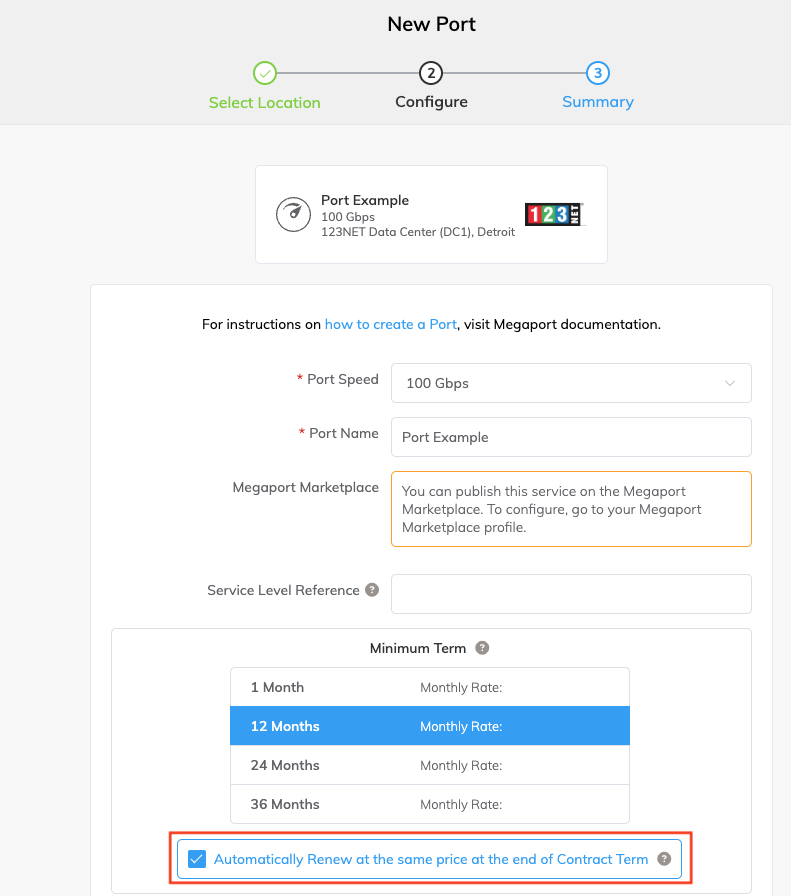
By default, Minimum Term Renewal is enabled, that is, new services with a minimum term of 12, 24, 36, 48, or 60 months are set to renew automatically for the same duration and discounted price.
As a Company Admin, you can change the default Minimum Term Renewal setting at any time. Changing the default setting only affects new service orders and does not affect existing services. Users can override the default setting for each service by selecting or clearing the default setting at any time.
The image below shows the default enabled state for the Minimum Term Renewal setting for a new service.
-
If Minimum Term Renewal is enabled for the service:
- No action is required. The service automatically renews for the same term length at the same discounted price.
- If a customer changes the VXC speed, the service is repriced based on the current market rate.
- For a VXC, the term discount is a fixed monthly amount calculated based on the percentage discount associated with the selected term length and committed speed. This discount remains fixed throughout the contract term, regardless of any speed changes.
- To opt out of automatic renewal, disable Minimum Term Renewal in the Megaport Portal before the contract expiry date. The service will then continue on a month-to-month basis at the same market rate.
- The early termination fee (ETF) for canceling a contract early remains 100% of the remaining term cost.
-
If Minimum Term Renewal is disabled for the service:
- To continue the service under a minimum term contract, log in to the Megaport Portal before the contract expires and renew the service for 12, 24, 36, 48, or 60 months at the same discounted market rate.
- If no action is taken, the service continues on a month-to-month basis at the same market rate for Ports or the pay-as-you-go rate for virtual services.
Notification email
A notification email is sent one month before the contract end date, informing customers of their Minimum Term Renewal options.
- Recipients – All customer contacts in the Megaport Portal, that is, all primary company email addresses receive the email.
- Managed accounts – Term renewal emails are sent to all users of the partner company, but not to users of the managed company.
- Can customers disable the renewal emails? – No, these are critical service notifications and cannot be disabled.
Configuring the default Minimum Term Renewal setting for new services
Note
The override only impacts the ordering of new services. Existing services are not affected.
To override the global Minimum Term Renewal setting for a specific managed account
- Log in as a Company Admin.
-
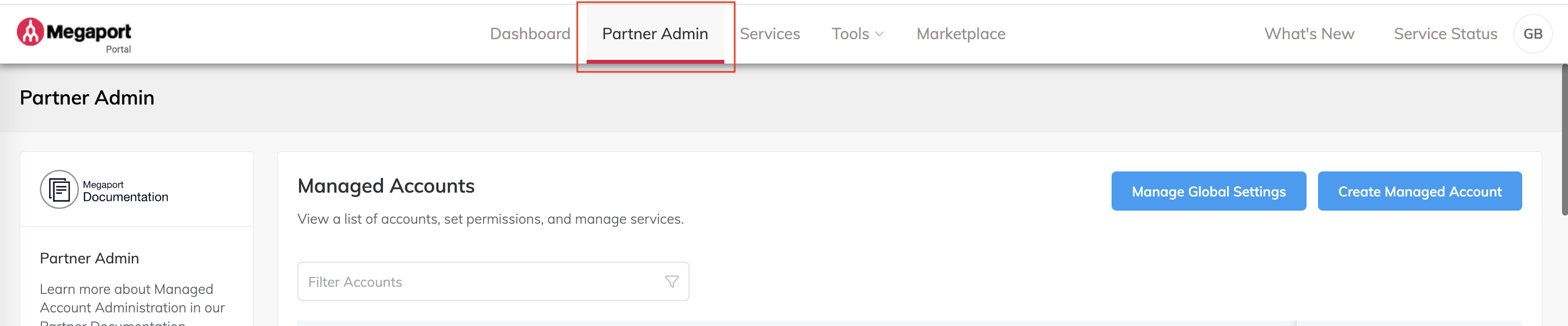
Select Partner Admin.
-
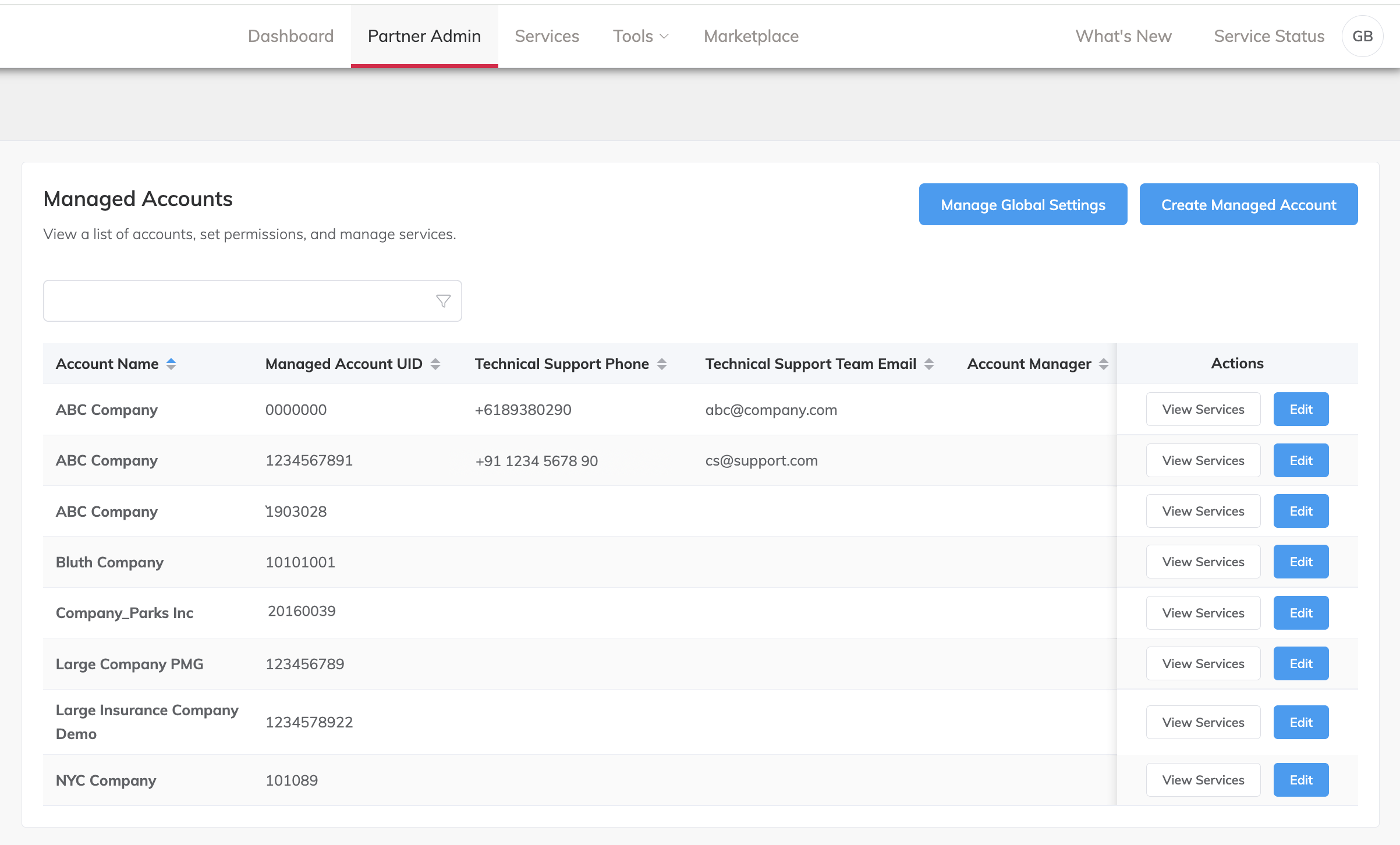
From the Manage Accounts page, find the account to modify.
You can use the filter at the top of the page to focus the list. -
Click Edit next to the managed account.
The Account Overview for the managed account is displayed. -
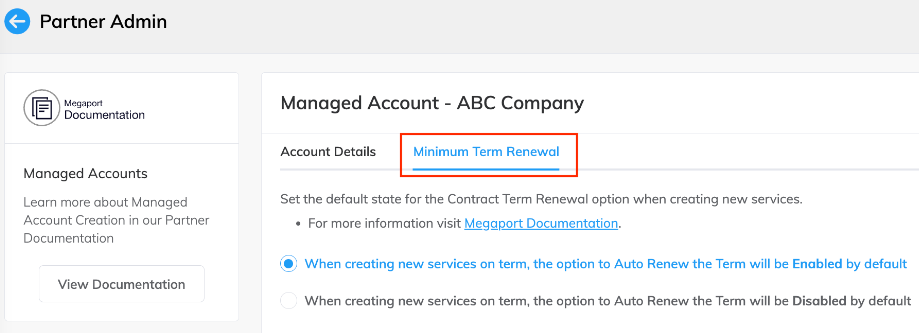
Select the Feature Configuration tab.
-
Set the default state for Minimum Term Renewal for the managed account:
-
When turned on, Minimum Term Renewal will be enabled by default for new services ordered by users of that managed account. Contracts are automatically renewed for the same term and discounted price.
-
When turned off, Minimum Term Renewal will be disabled by default for new services ordered by users of that managed account. The contract will not renew automatically at the end of its term, unless the user selects the option during the order process.
Changes are saved automatically and take effect immediately.
-